Automate Zoom Webinar Registration in Salesforce (Flows, Agentforce, Account Engagement)
Get the package on this page, below the video:
Automate Zoom Webinar Registration in Salesforce (No Login Required)
Zoom Webinar & Meeting Integration for Salesforce (Server-to-Server, No Login Required) Seamlessly connect Salesforce with Zoom to automate webinar registrations, eliminate manual data entry, and streamline your event workflows — all without requiring user login or OAuth consent screens. This solution provides a production-ready, Server-to-Server (S2S) Zoom integration built entirely on modern Salesforce architecture, enabling secure, scalable, and automated communication between Salesforce and Zoom APIs.
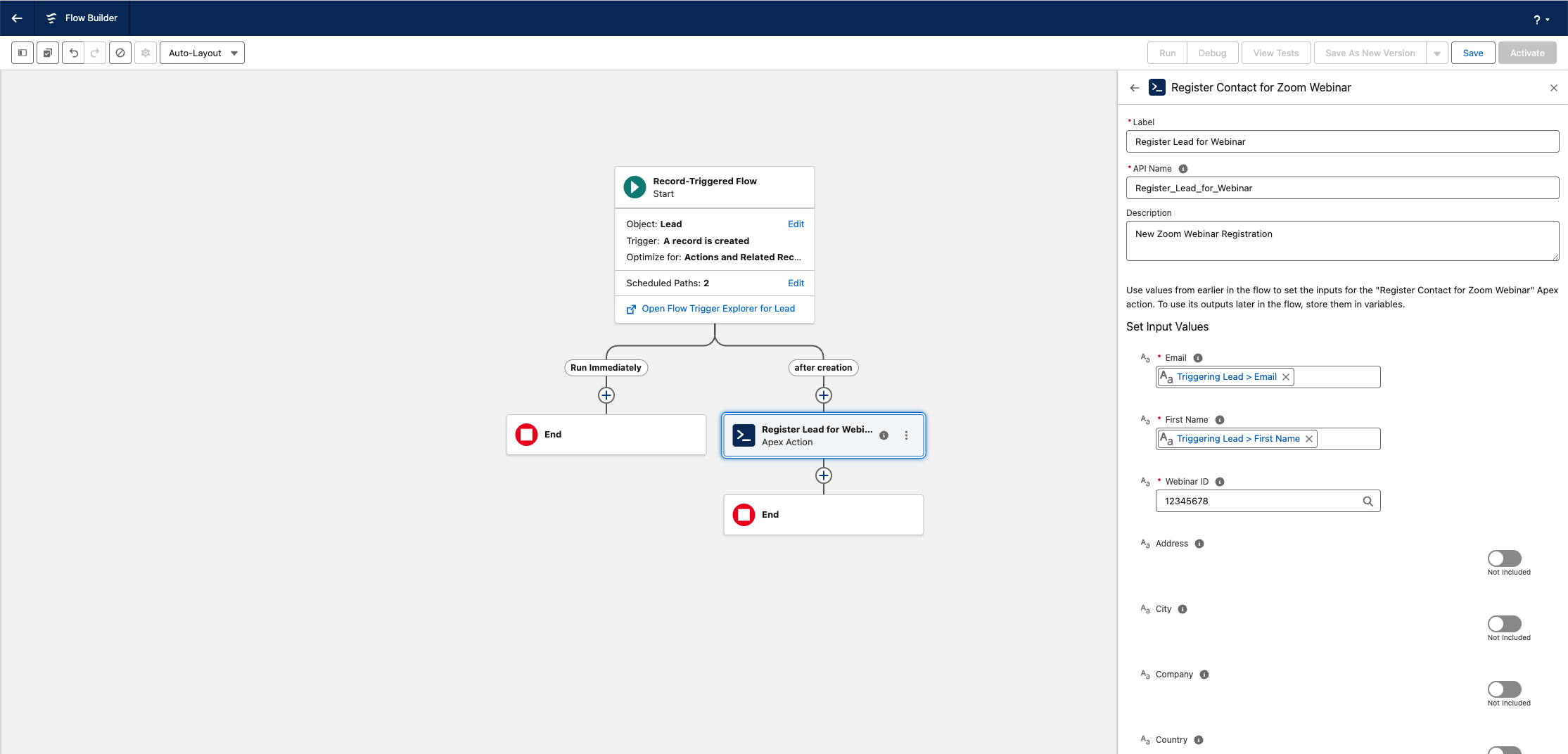
Add a Zoom Webinar Registrant from Salesforce Flows
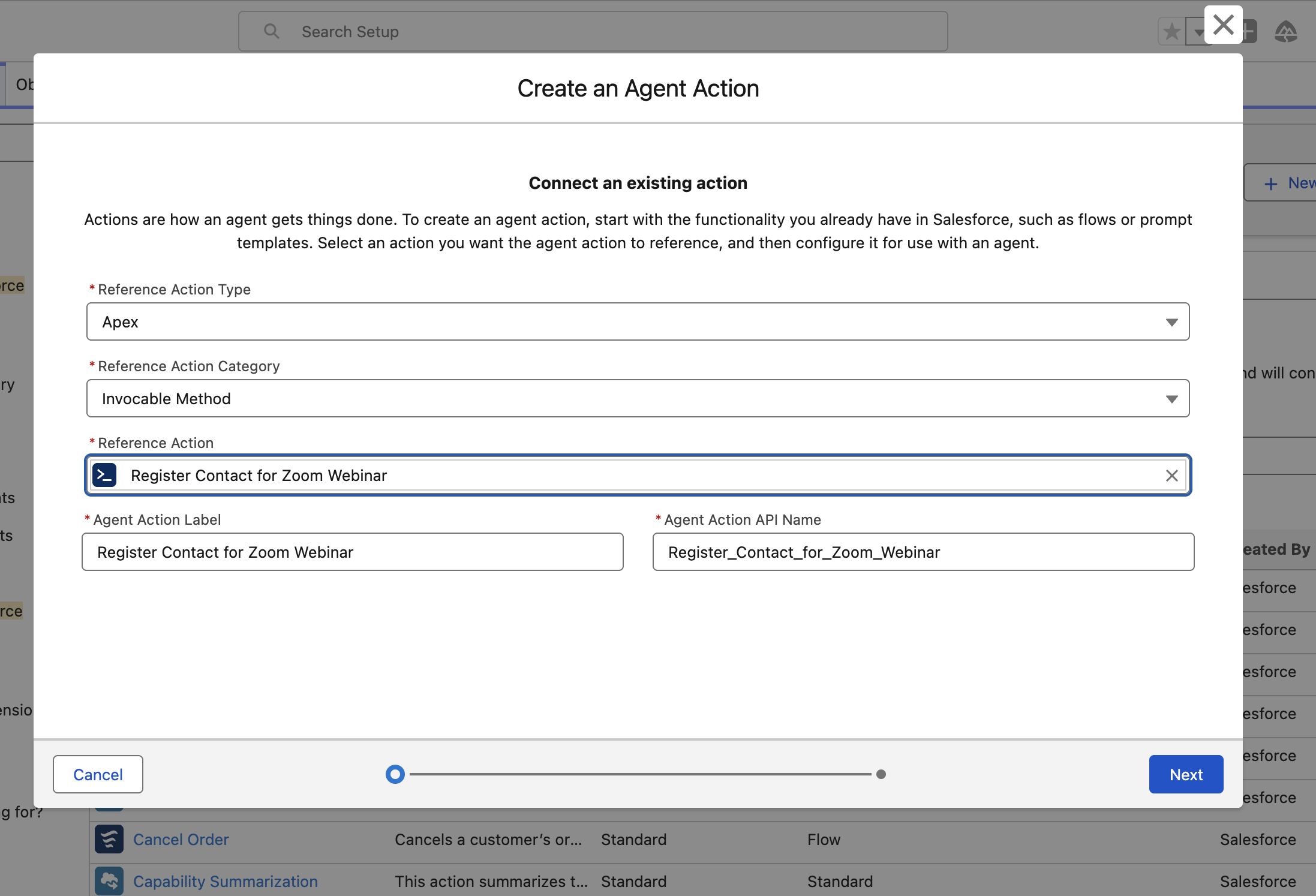
Create an Agent Action to Add Zoom Webinar Registrants
Enable Agentforce to add Zoom Webinar Registrants through Agent Actions.
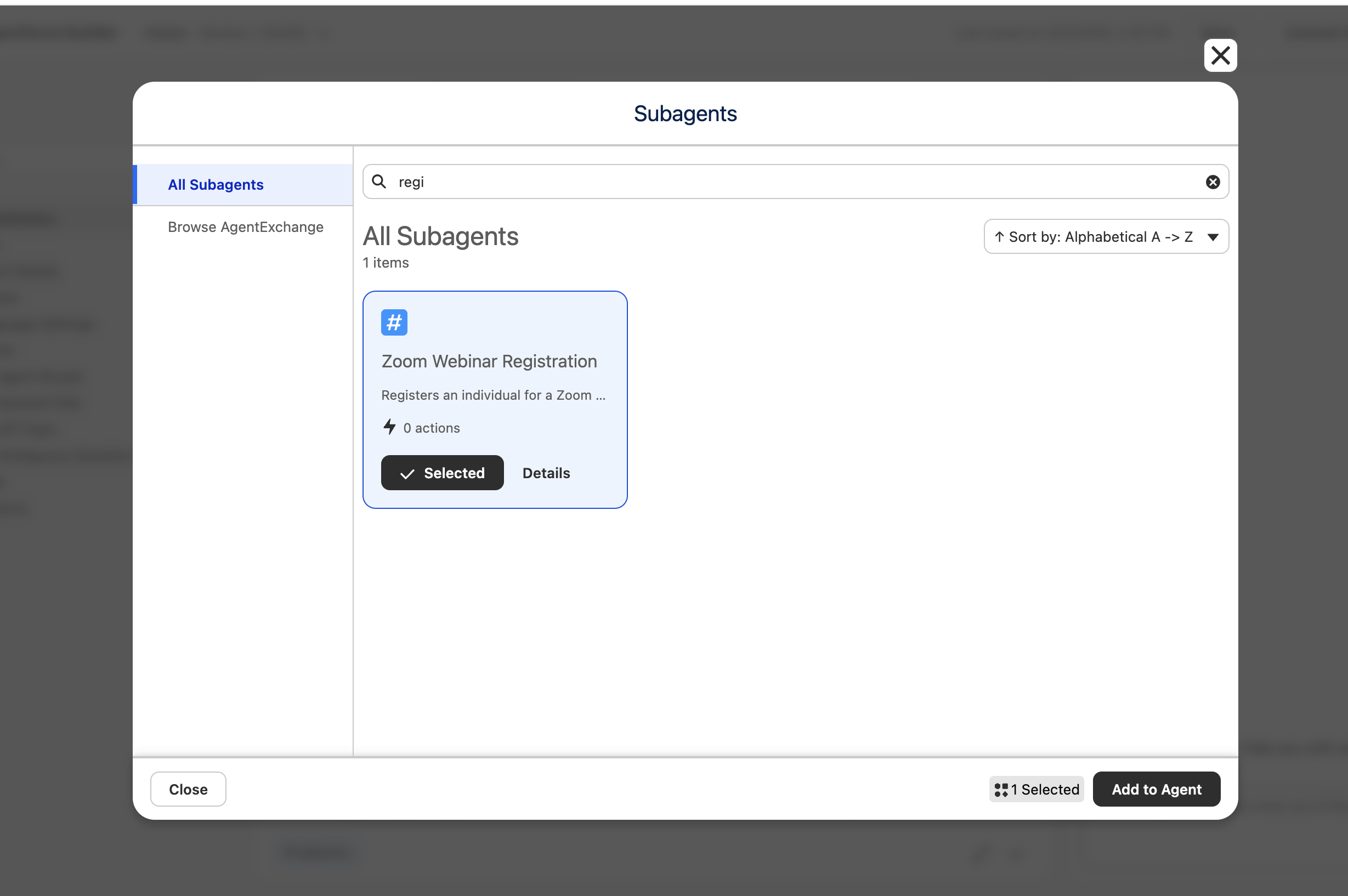
Add Zoom Webinar Registrants with Agentforce Subagents
Give your Agents the ability to register your customers to Zoom Webinars
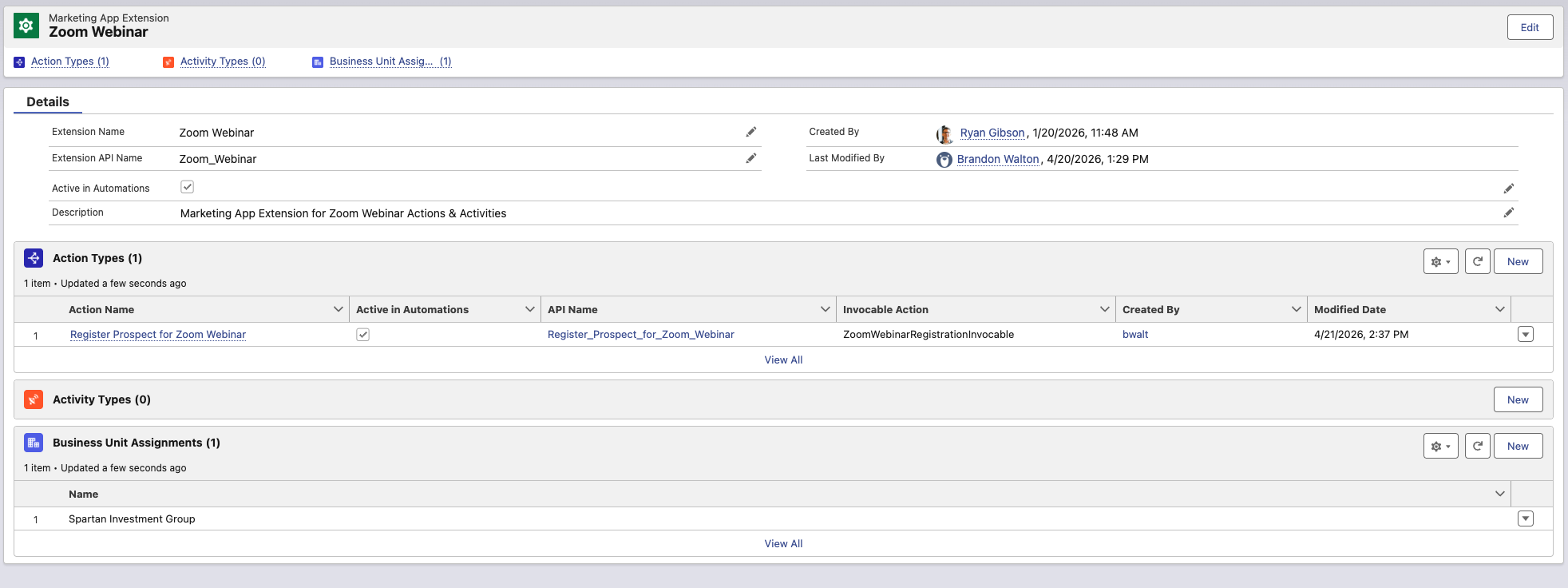
Add a Prospect to a Zoom Webinar from Marketing App Extensions
Add a Prospect in MCAE/Pardot with an External Action
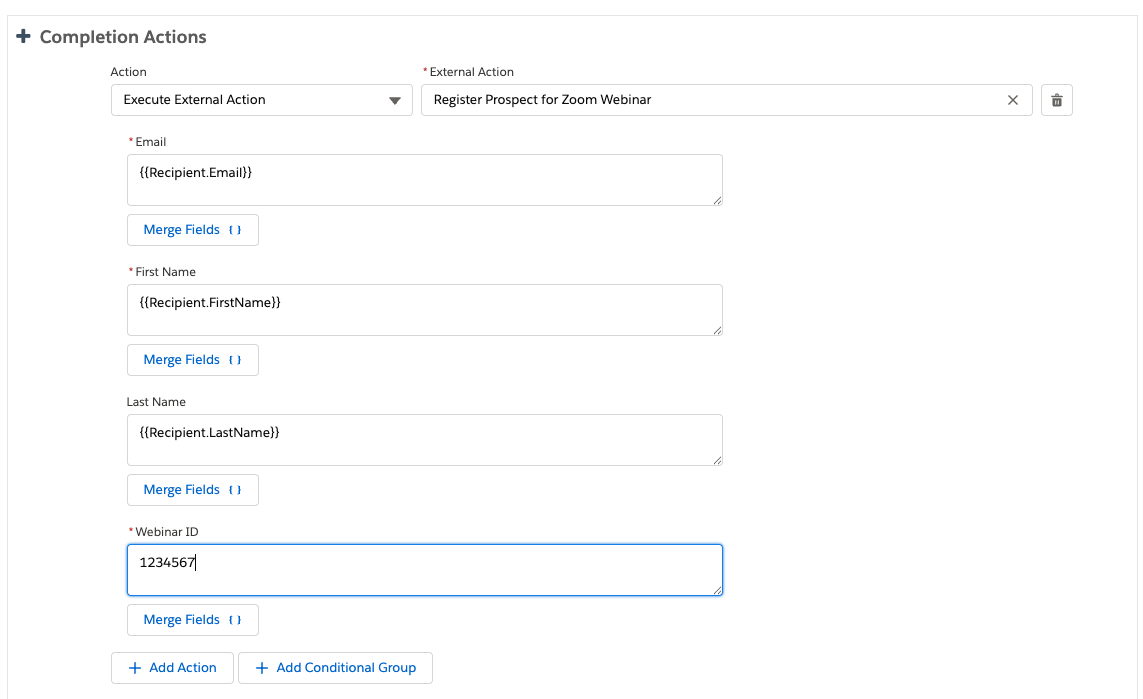
Add a Prospect to a Zoom Webinar from an MCAE/Pardot Completion Action
Add Prospects to Zoom Webinars with External Actions
After Installation Description
To begin using the application, complete the following setup steps:
- Navigate to Setup → Custom Settings → Zoom Configuration and enter your Zoom Server-to-Server OAuth credentials (Account ID, Client ID, and Client Secret).
- Assign the included Permission Set to users who will run the integration.
- Add the “Register Contact for Zoom Webinar” action to your Salesforce Flow or automation.
- Test the integration using a sample record before deploying to production.
This solution enables automated webinar registration directly from Salesforce using secure, server-to-server communication with Zoom. No user login or OAuth consent is required.
For best results, configure and validate this solution in a sandbox environment prior to production use, as recommended for AppExchange installations.