Automate Zoom Webinar Registration in Salesforce (No Login Required) Zoom Webinar Registration for Salesforce Flows, Agentforce & Marketing App Extensions

Automate Zoom Webinar Registration in Salesforce (Flows, Agentforce, Account Engagement)

Get the package on this page, below the video:

Automate Zoom Webinar Registration in Salesforce (No Login Required)

Zoom Webinar & Meeting Integration for Salesforce (Server-to-Server, No Login Required) Seamlessly connect Salesforce with Zoom to automate webinar registrations, eliminate manual data entry, and streamline your event workflows — all without requiring user login or OAuth consent screens. This solution provides a production-ready, Server-to-Server (S2S) Zoom integration built entirely on modern Salesforce architecture, enabling secure, scalable, and automated communication between Salesforce and Zoom APIs.

Zoom Webinar Automation for Salesforce
Automatically register Leads and Contacts to Zoom webinars directly from Salesforce — no login required. Works with Salesforce Flow, Agentforce Actions and Marketing App Extensions to provide automated secure Server-to-Server Zoom integration. No OAuth login or user setup needed Includes join URLs and real-time registration results.
Zoom Integration Setup (One-Time Fee)
Zoom Webinar & Meeting Integration for Salesforce (Server-to-Server, No Login Required) Seamlessly connect Salesforce with Zoom to automate webinar registrations, eliminate manual data entry, and streamline your event workflows — all without requiring user login or OAuth consent screens. Get your Zoom + Salesforce integration professionally configured and ready to use. 🚀 What’s Included Full setup of Zoom Server-to-Server OAuth credentials Configuration of Salesforce Custom Settings Guided setup of Flow and webinar registration automation End-to-end testing to ensure everything works correctly
Your Name
Note: Support packages are monthly subscription.
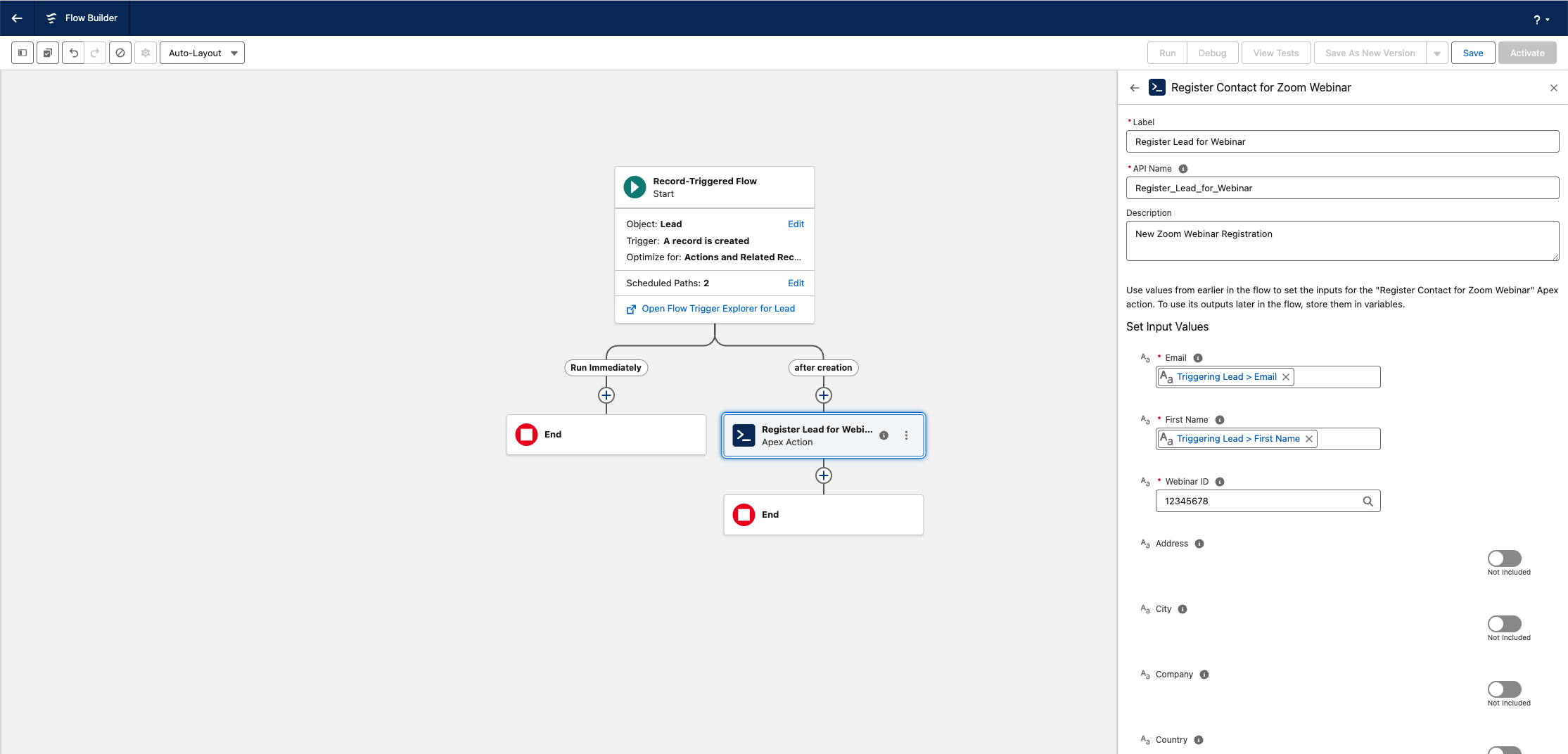
Add a Zoom Webinar Registrant from Salesforce Flows

Add a Zoom Webinar Registrant from Salesforce Flows
Add a Zoom Webinar Registrant from Salesforce Flows

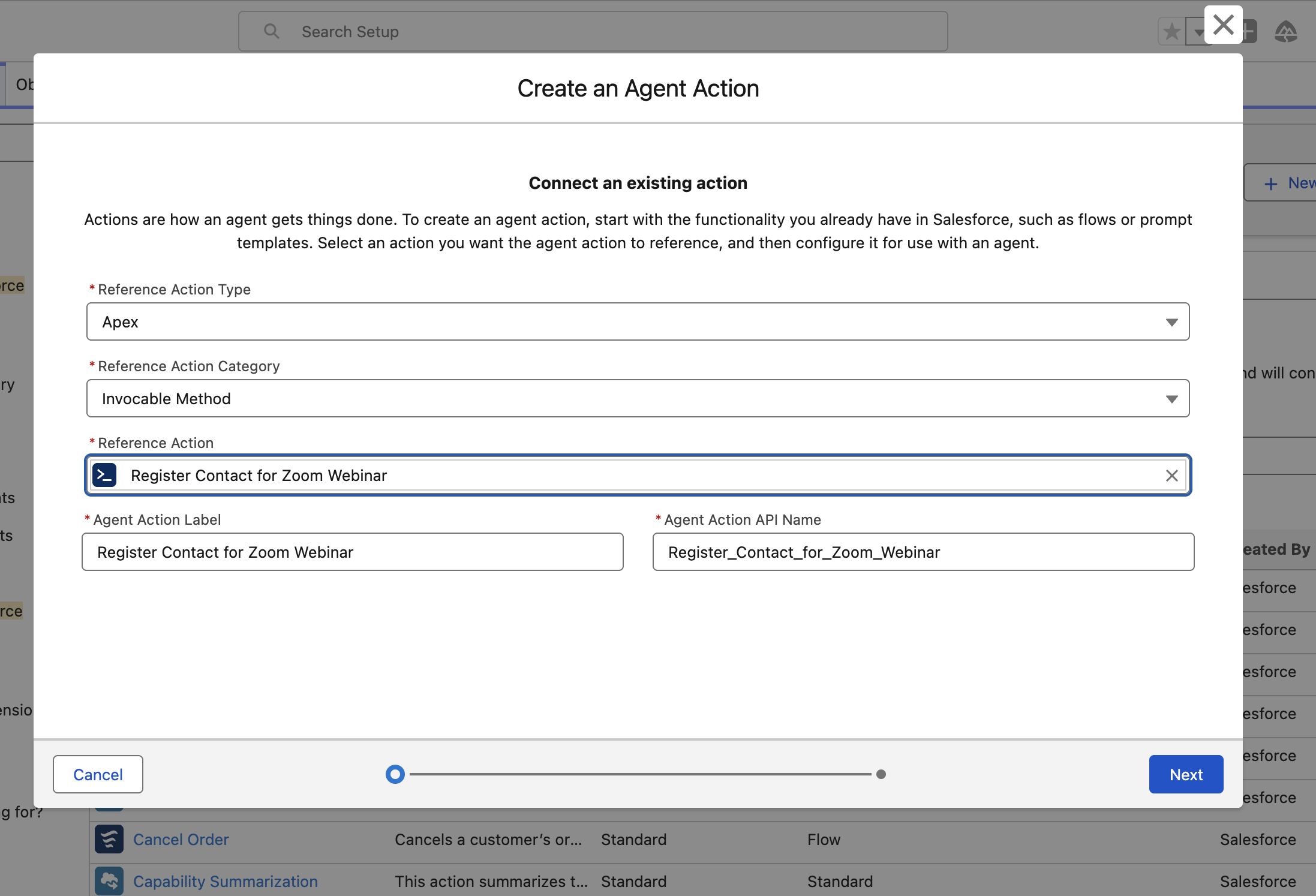
Create an Agent Action to Add Zoom Webinar Registrants

Create an Agent Action to Add Zoom Webinar Registrants

Enable Agentforce to add Zoom Webinar Registrants through Agent Actions.
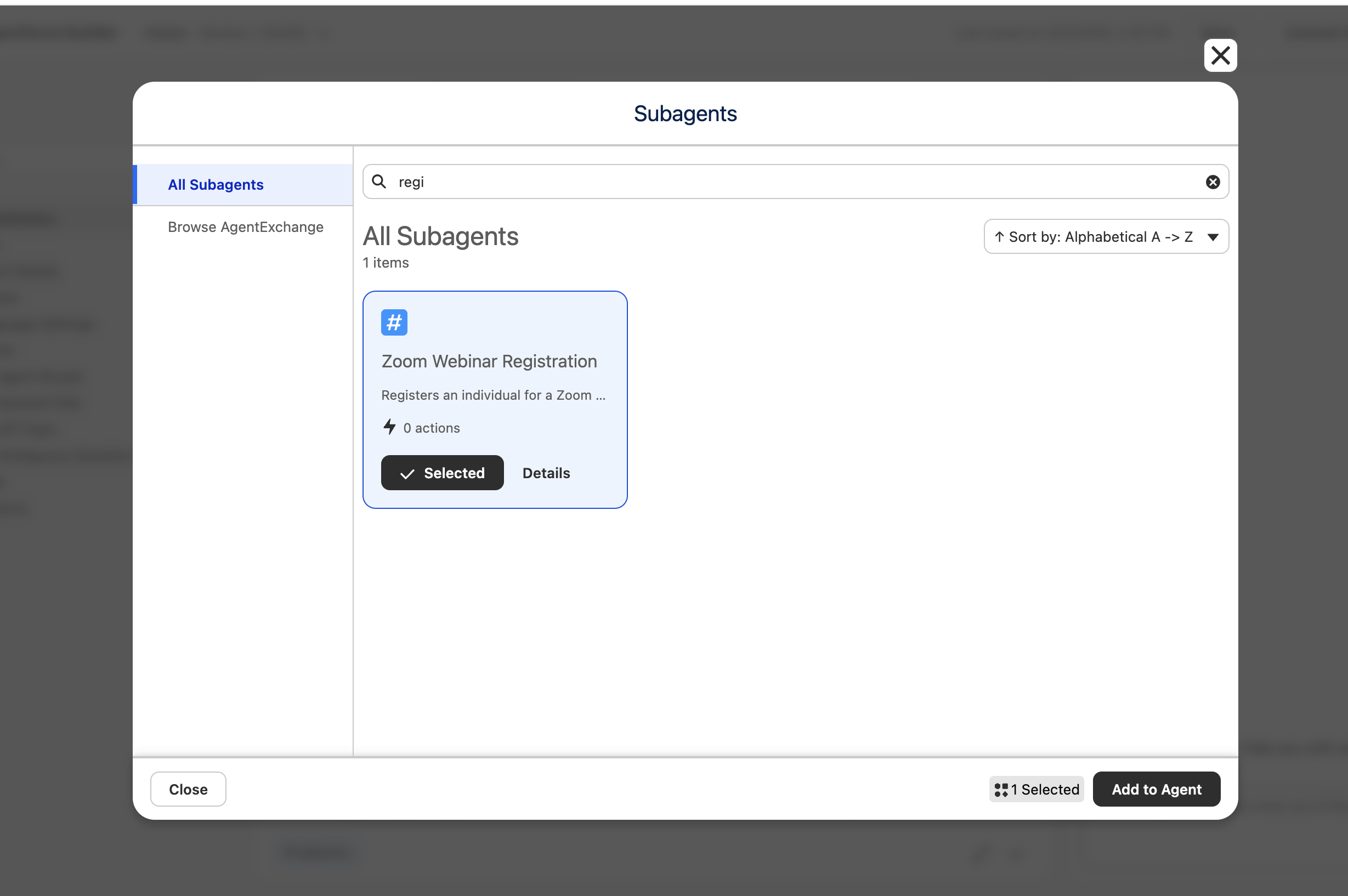
Add Zoom Webinar Registrants with Agentforce Subagents

Add Zoom Webinar Registrants with Agentforce Subagents

Give your Agents the ability to register your customers to Zoom Webinars
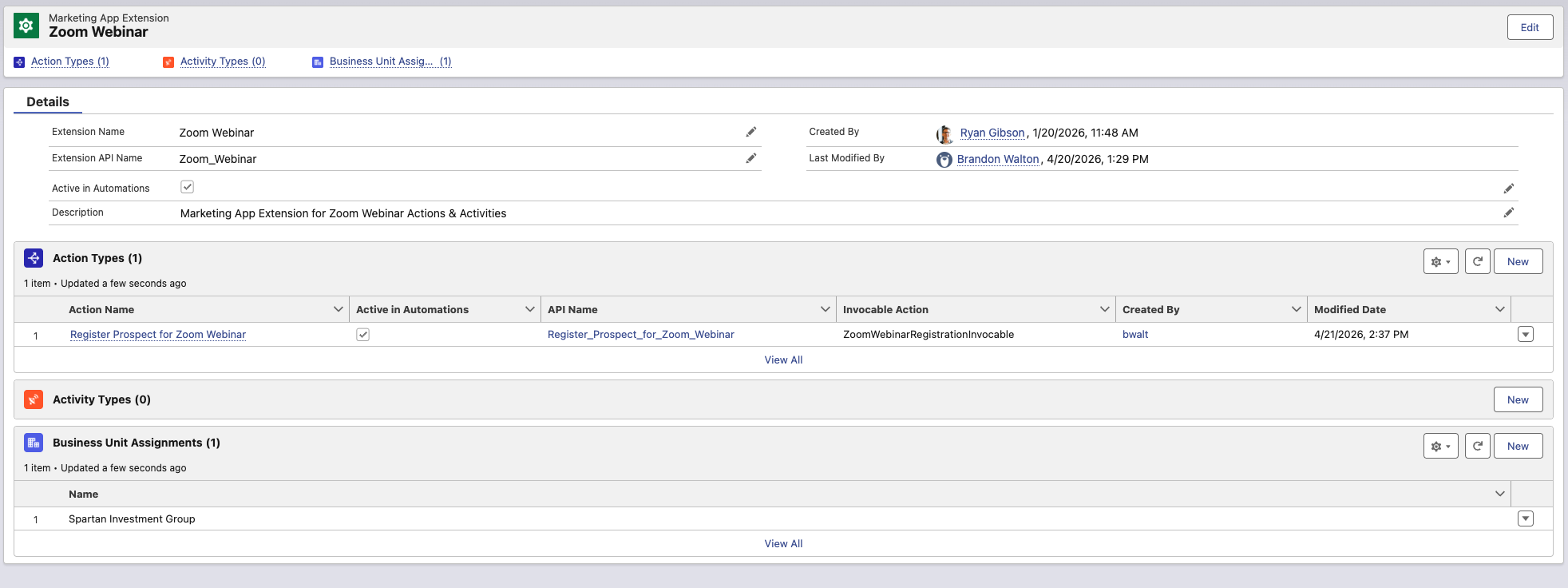
Add a Prospect to a Zoom Webinar from Marketing App Extensions

Add a Prospect to a Zoom Webinar from Marketing App Extensions

Add a Prospect in MCAE/Pardot with an External Action
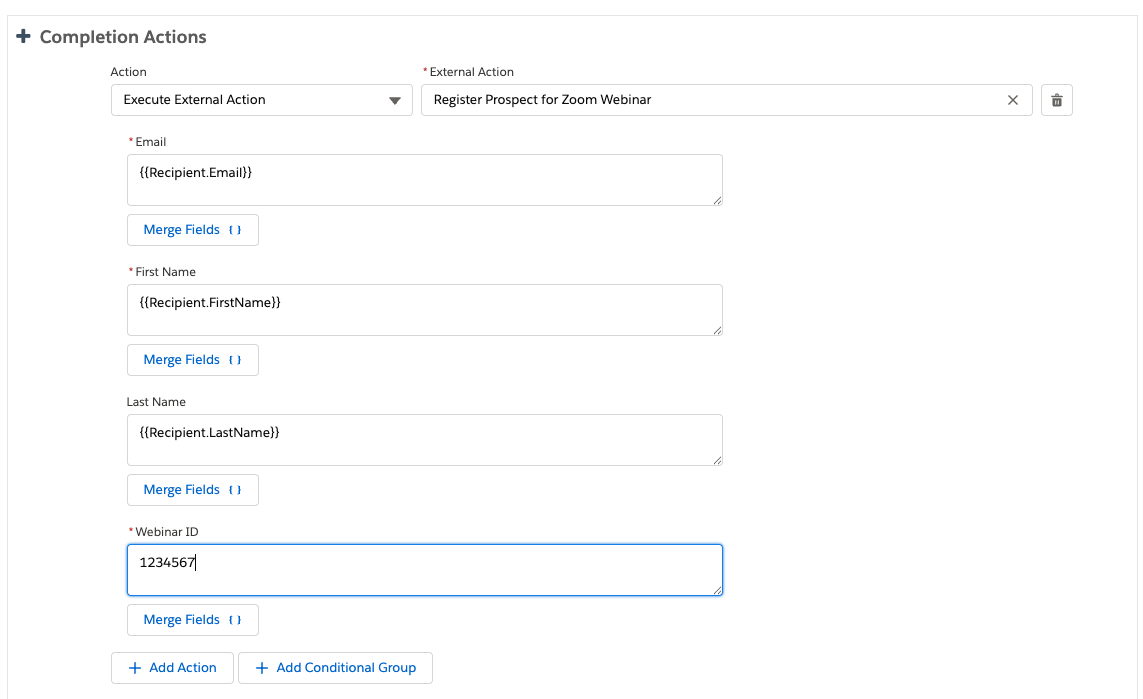
Add a Prospect to a Zoom Webinar from an MCAE/Pardot Completion Action

Add a Prospect to a Zoom Webinar from an MCAE/Pardot Completion Action

Add Prospects to Zoom Webinars with External Actions

After Installation Description

To begin using the application, complete the following setup steps:

  1. IN ZOOM (as an Admin), Navigate to Setup → Custom Settings → Zoom Configuration and enter your Zoom Server-to-Server OAuth credentials (Account ID, Client ID, and Client Secret).
  2. IN SALESFORCE (Once Package has been installed) Assign the included Permission Set to users who will run the integration.
  3. IN SALESFORCE (Once Package has been installed), Add the “Register Contact for Zoom Webinar” action to your Salesforce Flow or create use the InvocableMethod to create a Marketing App Extension.
  4. IN SALESFORCE (Once Package has been installed), Confirm Zoom API URL’s have been added as trusted URLs for API call outs
  5. Test the integration using a sample record before deploying to production.

This solution enables automated webinar registration directly from Salesforce using secure, server-to-server communication with Zoom. No user login or OAuth consent is required.

For best results, configure and validate this solution in a sandbox environment prior to production use.

Need Help? Schedule a meeting to Scope your project with our Professional Services Team